Capture the detailsเก็บรายละเอียดให้ครบ
Import supported broker screenshots, then review the entry, exit, and notes together.นำเข้าภาพหน้าจอจากโบรกเกอร์ที่รองรับ แล้วทบทวนจุดเข้า จุดออก และบันทึกได้ในที่เดียว
A journal for your trading practiceสมุดบันทึกสำหรับการเทรดของคุณ
Turn broker screenshots into a journal you can search, compare, and learn from. Use it in your browser or get the iOS and Android apps. เปลี่ยนภาพหน้าจอจากโบรกเกอร์ให้เป็นสมุดบันทึกที่ค้นหา เปรียบเทียบ และทบทวนได้ ใช้ผ่านเบราว์เซอร์หรือดาวน์โหลดแอปสำหรับ iOS และ Android
Try Grand for 14 days. No card required.ทดลองใช้ Grand 14 วัน ไม่ต้องใช้บัตร
Import supported broker screenshots, then review the entry, exit, and notes together.นำเข้าภาพหน้าจอจากโบรกเกอร์ที่รองรับ แล้วทบทวนจุดเข้า จุดออก และบันทึกได้ในที่เดียว
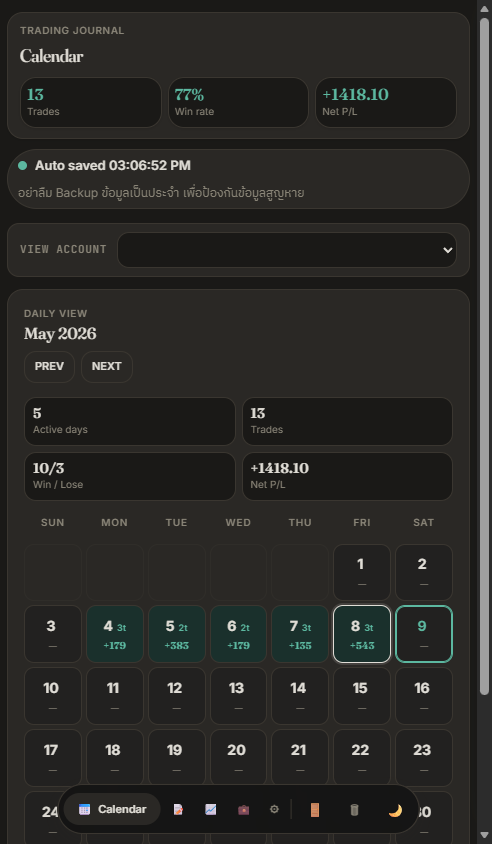
Use calendar, history, and backtest views to understand what happened across your trades.ใช้ปฏิทิน ประวัติ และมุมมอง Backtest เพื่อทำความเข้าใจสิ่งที่เกิดขึ้นในการเทรด
Keep manual journaling and backup tools available on Entry after the trial ends.ยังบันทึกการเทรดด้วยตนเองและสำรองข้อมูลได้บนแพ็กเกจ Entry หลังช่วงทดลองสิ้นสุด
Start with room to exploreเริ่มต้นและลองใช้งานได้เต็มที่
After the trial, signed-in users without a paid plan move to Entry for manual journaling and export. Automated tools require Standard or Grand.หลังช่วงทดลอง ผู้ใช้ที่ลงชื่อเข้าใช้และไม่มีแพ็กเกจแบบชำระเงินจะใช้ Entry เพื่อบันทึกด้วยตนเองและส่งออกข้อมูล เครื่องมืออัตโนมัติต้องใช้ Standard หรือ Grand
On your deviceบนอุปกรณ์ของคุณ
Already have an account?มีบัญชีอยู่แล้วใช่ไหม?
On the old site, sync your trades and export a backup first. Then open the new journal and sign in with the same account.ที่เว็บไซต์เดิม ให้ซิงก์รายการเทรดและส่งออกข้อมูลสำรองก่อน จากนั้นเปิดสมุดเทรดใหม่และลงชื่อเข้าใช้ด้วยบัญชีเดิม
Browser data and sessions do not move between domains. Keep the old site until you confirm your trades on the new one.ข้อมูลในเบราว์เซอร์และเซสชันจะไม่ย้ายข้ามโดเมน โปรดเก็บเว็บไซต์เดิมไว้จนกว่าจะตรวจสอบรายการเทรดบนเว็บไซต์ใหม่เรียบร้อย
Open the old siteเปิดเว็บไซต์เดิม